Frost: custom game engine
A downloadable tool
Context
Frost is a C++ game engine developed for the Master’s in Video Game Development (DDJV) at the University of Sherbrooke, specifically for the Computer Graphics and Physics/Mathematics modules.
The core assignment was to build a racing game from scratch without using an existing engine. Instead of hardcoding the game logic into a specific project, our team - Mathis Boultoureau, Elias Del Pozo, Simon Le Floch, and Thomas Vanwalleghem - took the opportunity to build a generic engine framework. This approach allowed us to prioritize engine architecture, tooling, and systems engineering over a simple one-off technical demo.
Core Features
- DirectX 11 Renderer: A modular deferred rendering pipeline with an abstracted API layer, supporting custom HLSL materials, stencil-based portals, and a per-camera post-processing stack.
- Entity Component System (ECS): Built on a Data-Oriented Design. Developed initially from scratch to handle low-level memory management before migrating to EnTT for production-scale performance.
- Input Management: A unified system handling Keyboard, Mouse, and up to 4 Gamepads simultaneously, featuring deadzone calibration and custom response curves.
- Event System: A central asynchronous Event Queue that decouples engine subsystems, allowing for high scalability and easier debugging of cross-system communication.
- Scripting Engine: A dynamic C++ scripting system with DLL hot-reloading, enabling real-time logic updates and a clear separation between engine and game code.
- Physics Integration: Full integration of JoltPhysics, utilizing a fixed timestep for deterministic simulation and a custom collision matrix for layer filtering.
Rendering Pipeline

Deferred Rendering Pipeline OverviewFrost utilizes a Deferred Rendering architecture to efficiently handle complex lighting and material interactions. The pipeline is designed to be API-agnostic, allowing for future extensions beyond DirectX 11.

Frost Engine Rendering Pipeline
G-Buffer & Lighting The G-Buffer pass captures Albedo, Normals, World Positions, and Specular data. This allows the Lighting pass to calculate complex illumination and shadows in screen space, significantly reducing the overhead when using multiple light sources.
Stencil-Based Portals To implement “Portal” mechanics, we utilize the Stencil Buffer. By drawing portal geometry into the stencil, we create a mask that allows the engine to render a secondary view (the portal destination) only within those specific pixels, ensuring seamless spatial transitions.
Advanced Materials Our material system supports specialized shaders per-object. A key example is our Water Shader, which implements:
- Distance-based Tessellation: Dynamically increases vertex density near the camera.
- Displacement Mapping: Uses Gerstner waves calculated in the domain shader for realistic water surfaces.
Post-Processing Stack Each camera entity manages its own post-processing volume. Our implemented effects include:
- Chromatic Aberration and Radial Blur for high-speed feedback.
- Toon Shading: Using a Sobel filter pass for edge detection and outline rendering.
- Atmospheric Effects: Volumetric Fog and LUT-based (Look-Up Table) Color Correction for final grading.
Debug & UI Layers The final stages of the frame include the Jolt Physics Debug renderer (immediate-mode wireframes) and the HUD. The ImGui layer is rendered last, ensuring the editor tools remain interactive and visible over the game viewport.
Scene Editor
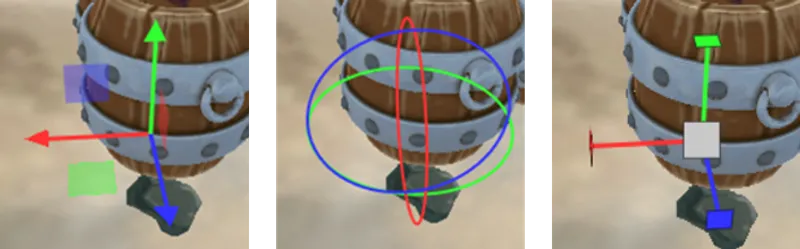
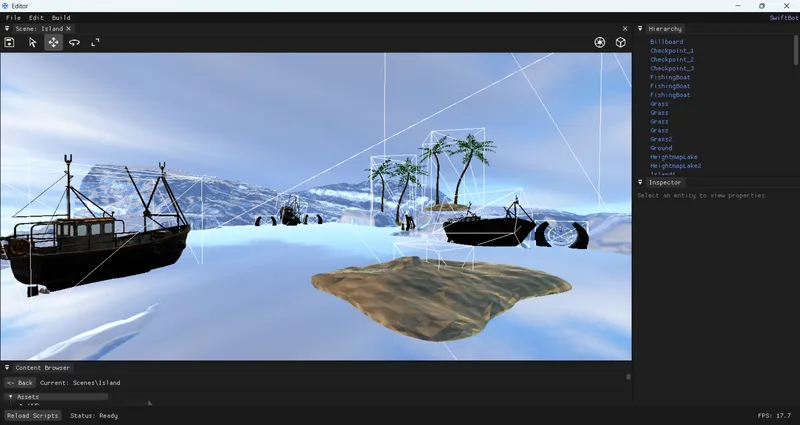
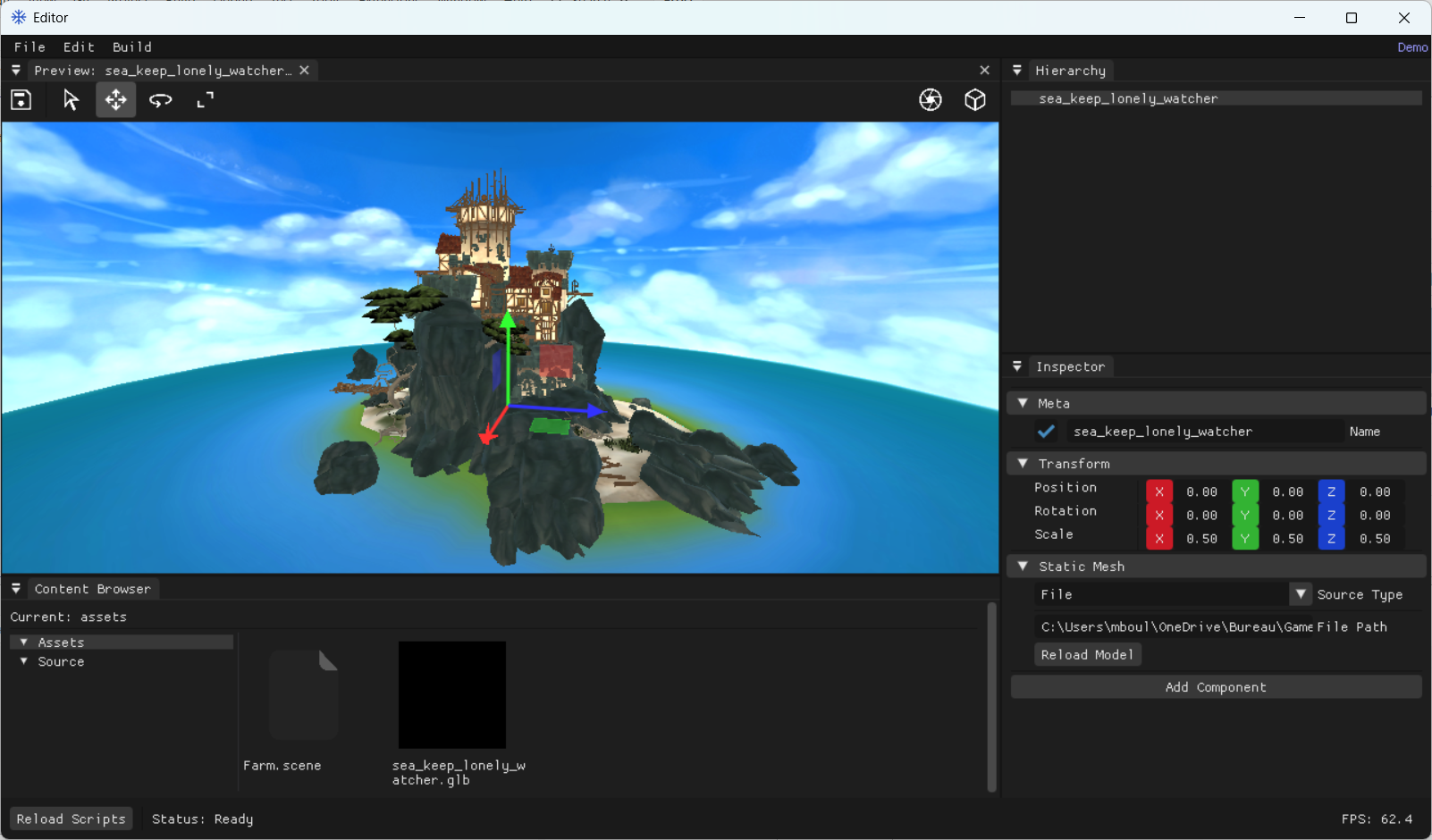
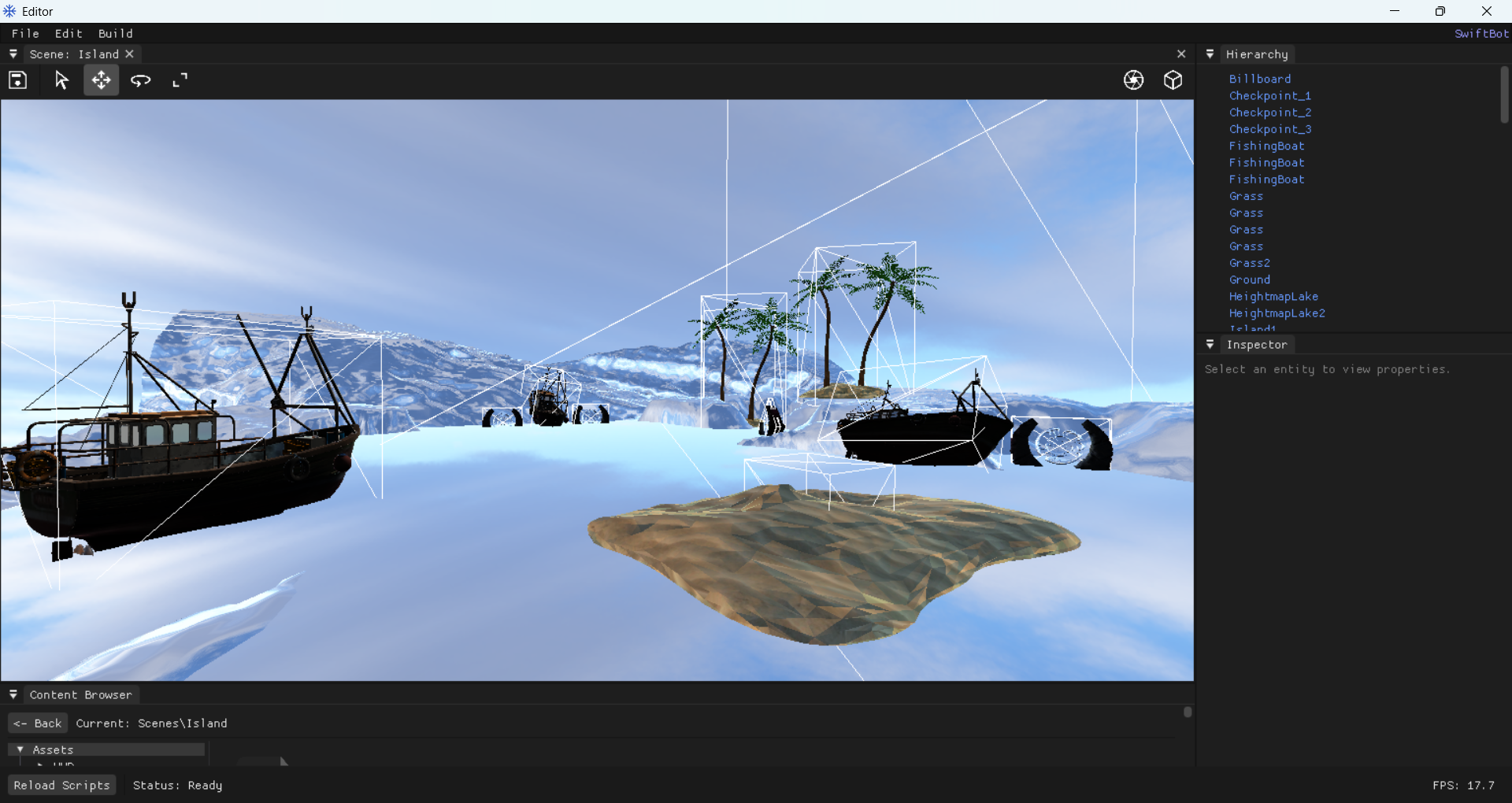
To streamline our development workflow, we built a dedicated Scene Editor using ImGui, a graphical user interface library. This allows us to move away from hardcoded values and manipulate our world in real-time.
Viewport & Gizmos
Hierarchy & Inspector
The Hierarchy panel provides a structured view of all entities in the scene, allowing for easy parenting and organization. By selecting an entity, the Inspector exposes its underlying ECS components. We can add, remove, or modify component properties - such as transform values, mesh data, or physics parameters - and see the changes reflected instantly in the engine.
Asset Browser
Our Asset Browser is designed for high performance and ease of use:
- Visual Previews: It features a thumbnail generation system with an integrated cache for 3D models.
- Workflow: Supports drag-and-drop functionality directly into the 3D scene or onto inspector fields.
- Hot Reloading: The browser monitors the file system for changes, automatically updating assets when a source file is modified.
- Organization: Divided into “Assets” and “Source” (C++ files) for a clean pipeline.
Scripting Engine
To bring dynamic behavior to the Frost engine, we implemented a robust C++ Scripting System. Unlike a hardcoded logic approach, our scripts are developed in a separate project and dynamically loaded as a DLL into both the engine and the game. This architecture allows for a flexible workflow where custom logic can be attached to any GameObject via the Editor’s Inspector while maintaining a clean separation between the core engine and game-specific code.
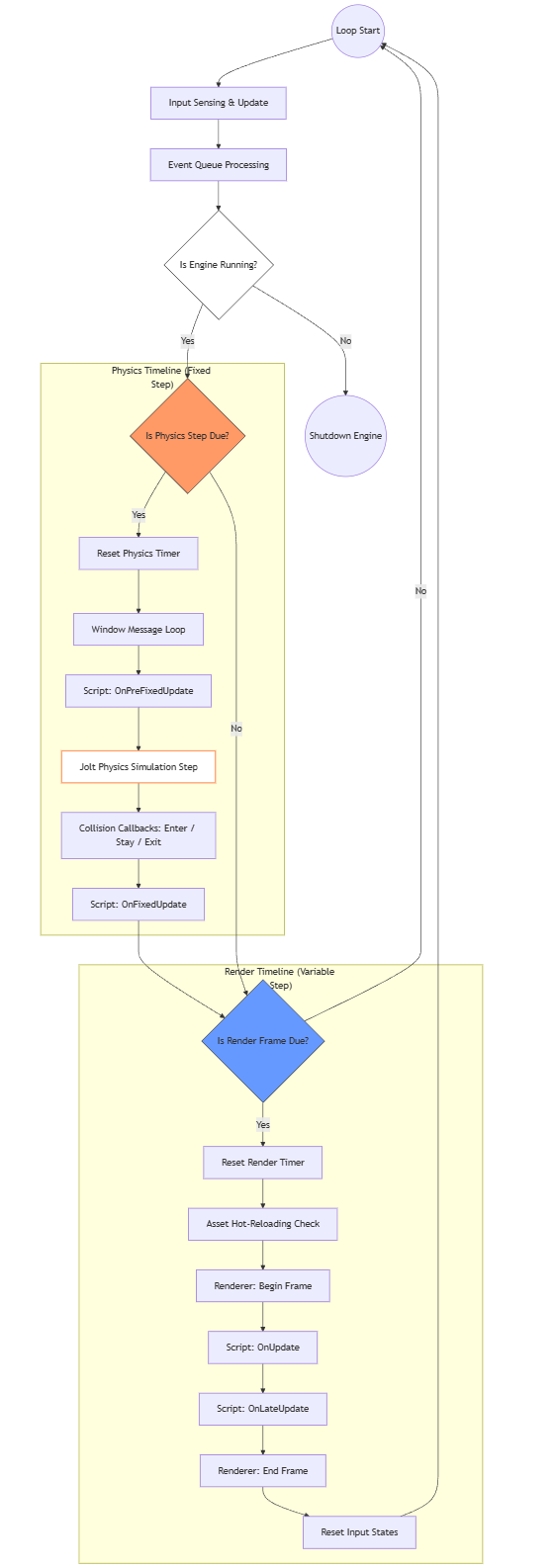
Execution Flow & Timelines
The engine manages two distinct synchronization loops to ensure both physical accuracy and visual smoothness:
- Physics Timeline (Fixed Update): Synchronized with the _physicsRefreshDuration, this loop handles deterministic logic. It triggers OnPreFixedUpdate and OnFixedUpdate. This is also where the Jolt Physics step occurs, capturing collision events (OnCollisionEnter/Stay/Exit) which are then dispatched to the scripts.
- Render Timeline (Variable Update): Synchronized with the _renderRefreshDuration, this loop handles frame-dependent logic such as visual effects or camera smoothing. It triggers OnUpdate and OnLateUpdate.
Lifecycle Hooks
Every custom script inherits from a base Script class, providing a rich set of virtual methods to hook into the engine’s execution:
- Lifecycle: OnCreate for initialization and OnDestroy for cleanup.
- Logic: OnUpdate and OnLateUpdate for per-frame calculations.
- Physics: OnPreFixedUpdate and OnFixedUpdate for simulation-consistent logic.
- Events: Specialized handlers for physics state changes like OnAwake and OnSleep, and detailed collision parameters via OnCollisionEnter/Stay/Exit.
The Game Loop Logic
Frost Engine Game Loop DiagramPhysics Integration
For our physical simulations, we chose to integrate JoltPhysics , a physics engine used by Horizon Forbidden West and Death Stranding 2: On the Beach.
Collision Debugging
Advanced Physics Configuration
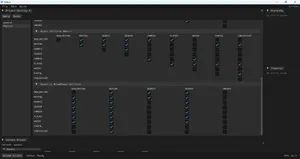
- BroadPhase Layers: Organizing objects into high-level categories (e.g., Non-Moving, Moving, Debris, Sensors) to optimize collision broad-phase queries.
- Object Layers & Collision Matrices: We implemented a granular collision matrix that defines exactly which layers interact with one another. This allows us to optimize performance—for example, by preventing debris from colliding with other debris while ensuring the player still interacts with checkpoints and water.
- Layer Mapping: Easily assigning specific object layers (like “Camera” or “Portal”) to broad-phase IDs directly from the interface.
Credits & Acknowledgments
The development of Frost was an intensive and rewarding journey. This project would not have been possible without the support, guidance, and expertise of our mentors.
We would like to extend our sincerest gratitude to all the professors and contributors of the Master’s in Video Game Development (DDJV).
A special thank you to:
- Patrice Roy:
- For his deep expertise in C++ and for teaching us how to write robust, high-performance code.
- Jean-Philip Desjardins:
- For his invaluable guidance on the Computer Graphics and rendering pipeline implementation.
- Thomas Rouby:
- For his essential support in mastering the Physics and Mathematics required for real-time simulation.
Resources:
Leave a comment
Log in with itch.io to leave a comment.